
Shutting Down My Home Windows PC with Google Home
This article was automatically translated from Japanese by AI. Read the original Japanese version →
Table of Contents
It's now super easy to shut down a home PC (Windows only) using Google Home or Alexa, so I wanted to share how to do it.
Until now, searching around for ways to do this usually meant writing code or installing specialized software—which was a real hassle, and half the time it didn't even work reliably.
Assistant Computer Control solves all of that effortlessly.

It supports Google Home and Alexa for assistants, and Google Drive, Dropbox, and OneDrive for cloud storage. Since I use Google Home and Google Drive, I'll just walk through that combination here.
Setup
Everything is already laid out at the link above, so basically all you need to do is configure IFTTT and install Assistant Computer Control. Since the default IFTTT applet is in English, I changed the trigger phrase to Japanese.
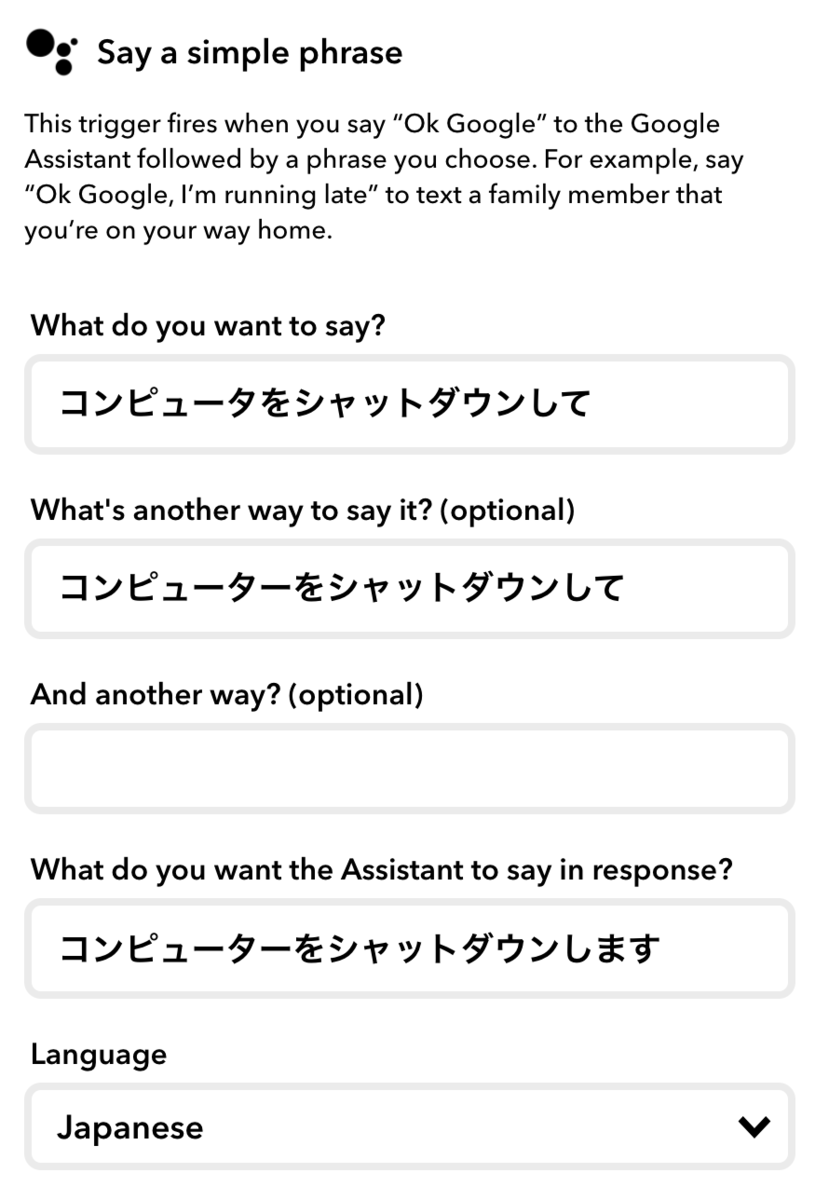
You'll also need to set up a dedicated folder in Google Drive and enable Google Drive's auto-sync on your PC, just following along with the app's installer.
How It Works
You don't strictly need to know how it works just to use it, but it's such a clean, clever design that I thought I'd explain it briefly.
Here's the step-by-step flow using Google Home and Google Drive:
- Say the phrase "Shut down my computer" to Google Home.
- IFTTT triggers and saves a command file into a designated folder in Google Drive.
- The Google Drive desktop app automatically syncs that file to your PC.
- Assistant Computer Control watches that folder on your PC and executes the action inside the command file.
- As soon as it executes, it deletes the command file.
A command file is basically a tiny script-like file that defines various Windows actions such as "shut down" or "sleep." You can check all supported actions below, and there are plenty of presets on the official site too.
Taken as a whole, it lets you control your PC from Google Home—yet Assistant Computer Control itself simply watches a local folder and runs whatever command file shows up, cleverly using IFTTT and Google Drive to bridge the gap.
Summary
Not only are IFTTT and Google Drive rock-solid, Assistant Computer Control itself has been super reliable too—I've been using it for a month now with zero issues. Give Assistant Computer Control a try and enjoy a nicer Google Home setup!