
Using the iBUFFALO Wired Full Keyboard BSKBM01WH on Mac OS X 10.15 Catalina
This article was automatically translated from Japanese by AI. Read the original Japanese version →
Since I've been working from home more lately, I bought a keyboard for home use.
Until now I'd been using the built-in MacBook keyboard, but my standing desk at home has a keyboard tray, so I figured I might as well put a keyboard in there. (Also, I'd long been annoyed that the Esc key on the MacBook Pro turned into part of the Touch Bar.)
I use a full-size keyboard on my Windows PC at home, so I went looking for a similar full-size keyboard for Mac. Right now, though, Apple's official full-size keyboard only comes in wireless, and it costs around 14,000 yen.
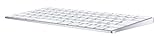
Apple Magic Keyboard - Japanese (JIS)
- Release Date: 2015/10/14
- Media: Personal Computers
That felt way too expensive, so I searched on Amazon and found one for under 2,000 yen, and immediately ordered it.
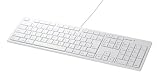
iBUFFALO Full Keyboard USB Pantograph Mac Model White BSKBM01WH
- Release Date: 2010/05/24
- Media: Personal Computers
When it actually arrived and I tried using it, none of the function keys worked at all. I thought it might be a driver issue, only to discover that the BSKBM01WH's function keys were only supported on Mac OS X 10.4.1–10.6.8, and official support was discontinued back in Mac OS X 10.13. So the driver distributed on the official site wouldn't even install.
To work around this, I decided to install Karabiner.

At least on my setup, simply installing Karabiner got the function keys (brightness controls, media buttons, etc.) working again. However, the Fn key still didn't work at all. Without it, I couldn't edit cells in Excel.
So I checked what event was firing in Karabiner's EventViewer when I pressed the Fn key, and it turned out it was emitting the Insert key event. Looking closely at the product, the spot where the Fn key sits is indeed where the Insert key is on a standard Windows keyboard.
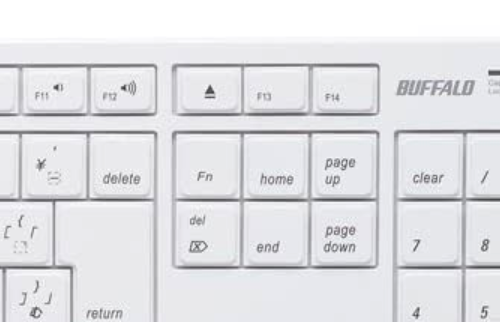
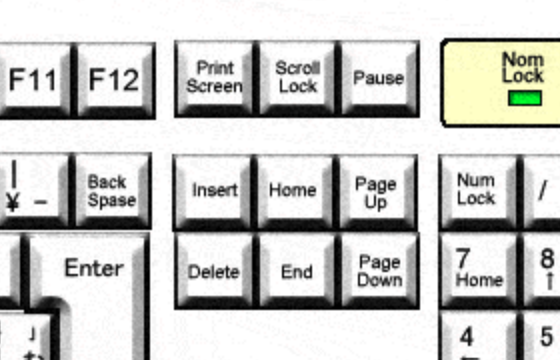
So I mapped the Insert key to the Fn key in Karabiner's settings. That solved all the functional issues.
That said, switching to a different keyboard naturally means slight differences in key placement, so I've been struggling a bit to adjust.
Specifically, the Command key on the bottom left is much farther to the left than on an official Apple keyboard. Because there's no CapsLock key there, everything is shifted left by that width. This has been causing a ton of typos.
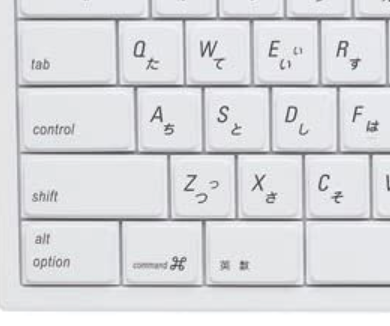
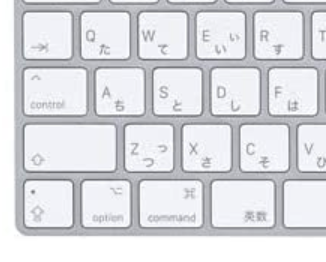
Also, the spacebar is unusually long, pushing the Kana key and everything to its right much farther over.
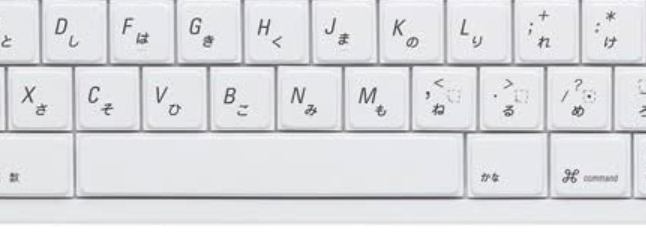
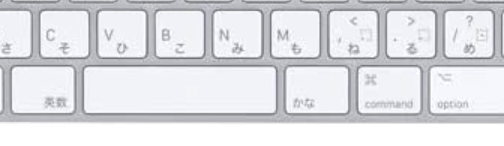
On the flip side, I can hit all the other keys without much discomfort. Maybe that's thanks to regularly using a full-size Windows keyboard. It'll probably take a little while to get used to, but the price is super affordable and I'm satisfied with it. If you're a Mac user looking for a cheap full-size keyboard, this might be worth checking out.