
playtiles and the Modern Game Boy Scene
This article was automatically translated from Japanese by AI. Read the original Japanese version →
Table of Contents
In recent years, as smartphones have become more powerful, the richness of the games we can play in the palm of our hands has evolved remarkably. However, the more sophisticated games get, the more one deep-rooted problem stands out: the difficulty of action controls on a touchscreen.
Virtual pads (D-pads and buttons displayed on the screen) have no physical feedback (clicky feel) when pressed, so your fingers tend to drift away from where they're supposed to be. Many of you have probably felt the frustration of messing up an input unintentionally while playing an action game or platformer. Carrying around a full-fledged Bluetooth gamepad is one solution, but that defeats the "grab-and-go convenience" of a smartphone.
That's when I came across a super unique product that tries to solve this problem with a—in a sense—"ultra-low-tech" approach. It's called "playtiles," and that's what I'm introducing today.
What Is playtiles? A New Ecosystem Combining Hardware and Software
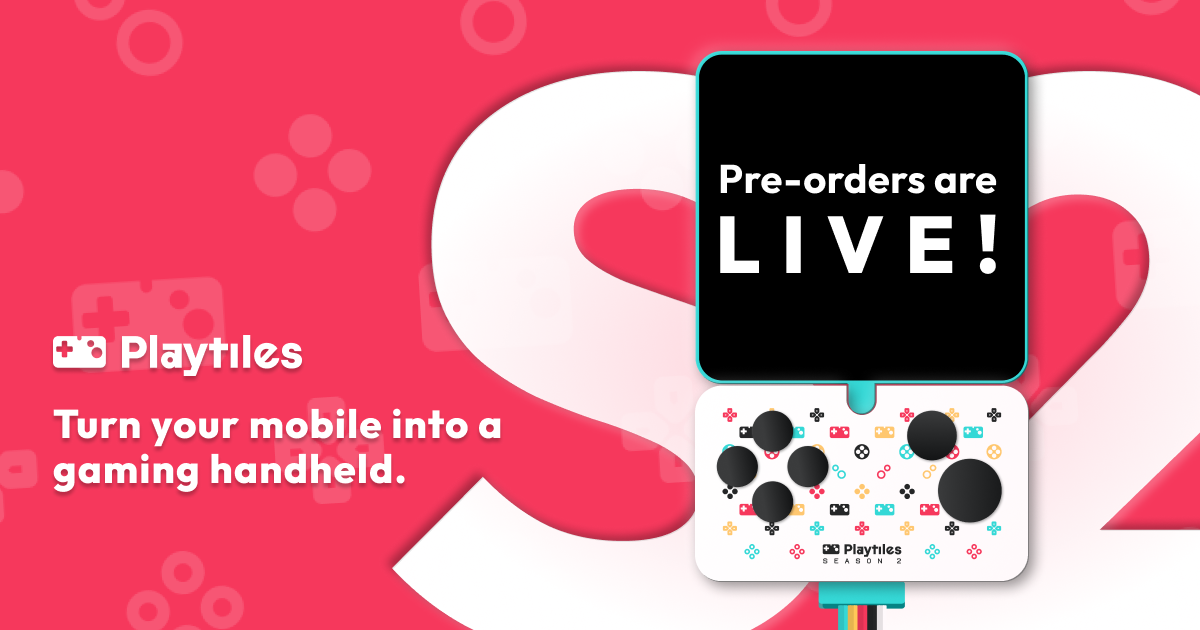
To sum up playtiles in one sentence, it's "a set containing a physical smartphone controller, 30 new games, and a Game Boy / Game Boy Color emulator that runs in your browser."
Normally, when you think of a smartphone controller, you imagine an electronic device that pairs via Bluetooth, but playtiles is completely different. As I'll explain shortly, this is an ultra-analog gadget: a "chunk of physical buttons" that you stick directly onto your smartphone screen.
And the most interesting part about this product is that it isn't just selling hardware—it's offered as a package with software (games). When you buy it, along with the controller itself, you get access to a bundle of 30 "new indie games made for the Game Boy" that are sold and published on indie game platforms like Itch.io.
Using it is dead simple, too. You don't need to install a dedicated app. Just scan the included QR code or go to the designated URL, and a dedicated Game Boy emulator (Playtiles OS) launches right in your smartphone's browser. From there, you pick a game, slap the physical controller onto the screen aligned with the virtual buttons, and you can start playing right away.
As for the price, it fluctuates with exchange rates, so check the official site, but you can pick it up for roughly 5,000 yen. Considering you're not just buying a controller, but also a "curated pack of handpicked indie games," I think it's a pretty reasonable price.
An Ultra-Low-Tech, Rational Approach: A Physical Controller You Stick on the Screen
Now, let's dig deeper into the controller, which is playtiles' biggest defining feature.
As mentioned earlier, this controller has no battery and no Bluetooth module inside. The back of the small panel—which has a plastic D-pad and A/B buttons—is a special adhesive surface. You stick it directly onto your smartphone screen, right over the virtual pad displayed by the browser emulator.
It works using capacitive touch: when you press a physical button down, a conductive part on the underside touches the smartphone's touchscreen, tricking it into thinking "a finger tapped the screen." It's an ultra-low-tech mechanism. Also, when playing on Playtiles OS, you can even get haptic feedback (your phone's vibration) whenever you press a button. The adhesive backing can be attached and removed over and over, and if it loses its stickiness, rinsing it with water restores it.
Once you actually try it, you realize how convenient the "ease of use" born from this low-tech design is. There's no pairing hassle, no worrying about battery life, and no risk of incompatibility from OS updates. You literally just "stick it on."
That said, you do have to make some compromises when it comes to the feel of the controls. Getting physical feedback is great, of course, but compared to the button feel of a dedicated console or a high-end Bluetooth controller, the shallow travel and occasional dropped inputs do make the controls feel less than ideal at times. In demanding action games that require razor-sharp precision, it can feel a bit frustrating.
Still, it is "miles better than tapping the screen directly," and above all, it's a more than acceptable trade-off for how compact and hassle-free it is.
An Unknown Ecosystem: The Thriving Modern "Game Boy Scene"
You can't talk about the appeal of playtiles without mentioning where its bundled games come from. Why, in this day and age, would anyone need to run a "Game Boy emulator" in a "smartphone browser"?
In fact, centered around indie game developers, there is currently a quietly booming scene creating brand-new games for the Game Boy (GB) and Game Boy Color (GBC). At the heart of it all is a game engine called "GB Studio."
GB Studio is a tool that lets you create ROM files (.gb files) that run on actual Game Boy hardware using visual scripting, even without deep programming knowledge. With the arrival of this tool, the democratization of game development has reached retro hardware as well. If you take a look at the indie game storefront "Itch.io" right now, you'll see creators around the world releasing shockingly high-quality new GB/GBC games every single day.
playtiles picks 30 quality titles from this rich "modern Game Boy scene" and packages them together.
And from a UI/UX standpoint, there's a very logical reason for this, too. The Game Boy hardware only has a D-pad plus A, B, Start, and Select buttons. Unlike modern consoles, there are no L/R shoulder buttons, analog sticks, or dozens of action buttons.
This "minimal input interface" becomes an overwhelming strength when playing on a smartphone touchscreen (or a simple clip-on/stick-on controller like playtiles). Because complex button combos aren't required, you can play comfortably on a smartphone platform without sacrificing what makes the games fun. You could say playtiles turns these "GB constraints" into an advantage, presenting them as an optimal solution for mobile gaming.
Featured Titles: Curated, High-Quality Indie Games
playtiles comes with 30 games included. I've only had time to play about three of them so far, but every single one is well-crafted and genuinely fun as a game.
1. Kero Kero Cowboy
A classic 2D platformer (side-scrolling action game) where you play as a frog cowboy.
The pixel art animations are crafted with remarkable care, and mechanics like jumping and using your tongue feel great to pull off. The difficulty is nicely balanced too, letting you experience the nostalgia of playing a classic Game Boy action game alongside the polish of modern level design.
It's also a title where playing with the playtiles controller lets you directly feel the benefit of physical buttons. Controls that are tricky on a touchscreen, like timing your jumps, become relatively smooth, reminding you just how fun action games can be.
2. Taiyaki Fabulous Museum of Fish
Taiyaki Fabulous Museum of Fish by objetdiscretobjetdiscret.itch.io
This one is a puzzle adventure game based on Picross (Nonograms).
You explore an island, meet quirky characters, and progress through the game by solving Picross puzzles hidden all around. What makes it shine is that you aren't just solving puzzles one after another—it blends in exploration, item collection, and a lighthearted story.
A puzzle game you can take your time with pairs wonderfully with the playstyle of pulling out your phone during spare moments, and I found myself playing for hours without realizing it.
3. PocketWare
PocketWare by lavallurelavallure.itch.io
A WarioWare-style minigame collection where you clear rapid-fire "microgames" that last just a few seconds each.
It tests your reflexes as you have to grasp each changing game's rules in a split second and react immediately. Packed with varied, comical minigames that push GB Studio's capabilities to the limit, its sheer variety and snappy pacing are genuinely impressive.
Being able to play even for just a couple of minutes matches the smartphone platform brilliantly, and having playtiles' physical buttons makes the intuitive controls much more accurate. It's the kind of game you'll want to fire up over and over for a quick breather.
Closing Thoughts: For Anyone Looking for a Compact Gaming Experience
"playtiles" sits at the opposite end of the spectrum from blockbuster games with cutting-edge graphics and sprawling systems. Yet it is packed with unmistakable gaming joy.
Beyond the fun gimmick of sticking analog buttons onto a smartphone screen, I felt the true value of this product lies in letting you tap into the rich ecosystem behind it: "the modern Game Boy scene driven by GB Studio and Itch.io."
For anyone thinking "modern mobile games are too complicated and exhausting" or "I want to casually play compact, satisfying games during my commute or on short breaks," playtiles should be a super compelling option. Waiting for you there is a retro-yet-fresh gaming experience that more than makes up for the slight compromises in physical button feel.
If this piqued your interest, why not check out the official website and step into the world of this tiny hybrid console?