
Migrating from Google Play Music to YouTube Music
This article was automatically translated from Japanese by AI. Read the original Japanese version →
Table of Contents
It's been a while since we heard the news about uploading music to YouTube Music and the planned shutdown of Google Play Music, and now the migration from Google Play Music to YouTube Music is finally available, so I gave it a try.
Since YouTube Music turned out to be a quirkier service than I expected, I'll also share a light review(?) of YouTube Music itself.
What Is YouTube Music?
Roughly speaking, it's a service that combines YouTube and Google Play Music. For a detailed feature list, I'll defer to other overview articles. With the recent addition of the upload feature, you can now upload your own audio files (like MP3s) just like you could on Google Play Music. You can clearly see Google's strategy to retire Google Play Music and build a video-centric music service around YouTube Music instead.
Migrating from Google Play Music to YouTube Music
I was able to migrate smoothly via "Settings" → "Transfer from Google Play Music" in YouTube Music. There weren't any complicated steps—pretty much just agreeing to the Terms of Service. Album art and playlists transferred over cleanly too. The notice said it could take several hours, but my roughly 9,000 songs finished transferring in under an hour.
One caveat—or surprise—is that tracks you upload yourself are kept completely separate from YouTube Music's catalog. Even on the search screen, they appear under a separate tab. Your uploaded songs live in the "Uploads" tab.
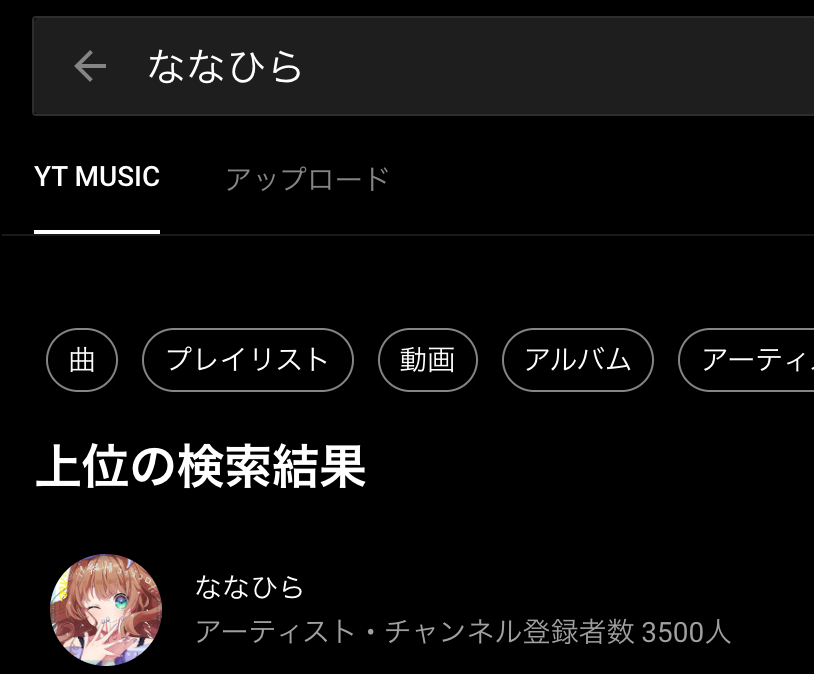
Back on Google Play Music, uploaded tracks and store tracks were all mixed together, which made things messy, so this separation makes them much easier to manage. I do wish I could set "Uploads" as the default tab, though I suppose that can't be helped.
Also, the offline download feature that was in the Google Play Music smartphone app is still free to use in YouTube Music. While downloading YouTube Music's streaming videos and tracks requires Premium, I was able to download my own uploaded songs for free.
Things Google Play Music Had That YouTube Music Doesn't
That said, not everything from Google Play Music made it over to YouTube Music. For example, there is no "Last added" playlist in YouTube Music. Since that's a feature I'd imagine people use constantly, I hope they add it eventually, though it looks like we'll have to put up with it for a while.
Here are a few other small feature and behavior differences. There may be more, but these are the ones that personally hurt:
- No Instant Mix feature based on uploaded songs.
- No "Shuffle all" button for uploaded songs.
- No "I'm Feeling Lucky" feature (and I loved that one...).
- The album list uses infinite scroll, which is painful (you hit the bottom and wait for the next batch to load).
- No way to edit metadata like song title or artist name for uploaded tracks (hoping this is just temporary).
About YouTube Music Channels (Topics)
Probably the most confusing thing when you first start using YouTube Music is that the concept of a "channel" differs subtly between YouTube Music and YouTube. For instance, if you visit an artist page like Moe Shop on YouTube Music, you'll notice it's slightly different from their YouTube channel—the subscriber count is different, and so is the content.
YouTube Music page
YouTube page
And if you subscribe to both and look at your subscriptions list on YouTube, both show up separately like this:
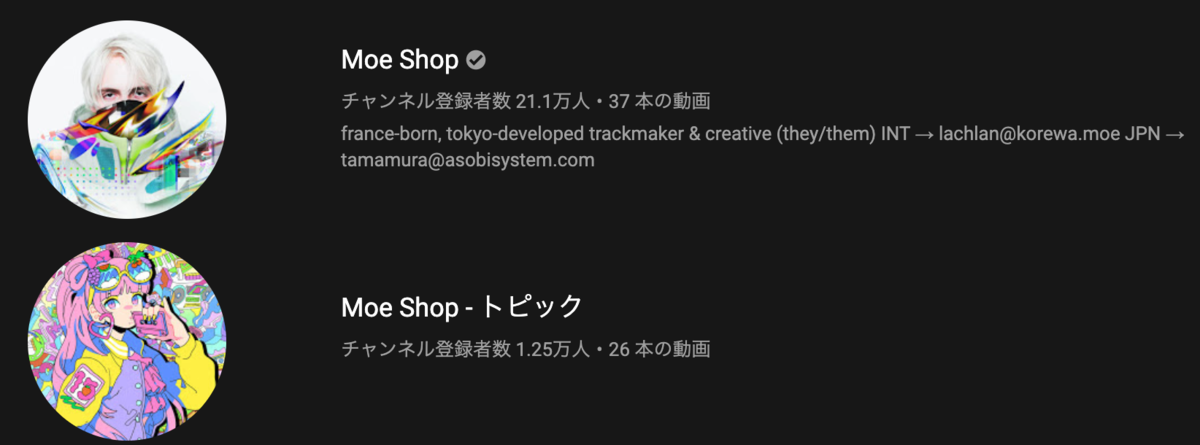
Not every track (or video) uploaded on YouTube shows up on YouTube Music either. I don't know how it's handled under the hood, but it looks like YouTube's side filters for things classified as music videos and displays only those on YouTube Music. In short, there are cases where an artist's YouTube channel and their YouTube Music topic(?) are completely separate entities.
Conversely, for an artist like Snail's House, the channel appears to be unified between YouTube Music and YouTube. Subscriptions are shared too, showing up as a single channel in YouTube's subscriptions list.
YouTube Music page
YouTube page
Presumably YouTube is either reaching out to artists individually to merge them or providing a tool for artists to link them themselves, but it's clearly still in a transitional phase—something to keep in mind when using it. If you only check YouTube Music, you might miss an artist's latest releases.
What's Good About YouTube Music
I've listed quite a few nitpicks, so let me mention what YouTube Music does well too.
First, it has a huge selection of covers by utaite and VSingers. Services like Google Play Music (Unlimited) and Spotify are built around paid licensing models, so there are plenty of tracks that can't easily be uploaded there due to rights issues. Being able to listen to those on YouTube Music is a big plus.
Second, the automatic playlist generation is really well done. Artist radio and recommended playlists are generally spot-on. Spotify is also great at this, of course, but because YouTube Music has a different catalog(?) of available tracks as I mentioned above, it offers a different kind of discovery.
That got a bit long, but those are my impressions. It still feels like a work in progress, so I hope it keeps getting better. Above all, building a video-centered music service is a pretty exciting ambition, so I'm rooting for them. Definitely give it a try if you haven't already.