
Using an Amazon Fire HD 10 Without Google Services
This article was automatically translated from Japanese by AI. Read the original Japanese version →
Table of Contents
I love using Amazon's Amazon Fire HD 10.
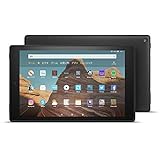
Fire HD 10 Tablet Black (10-inch HD Display) 32GB
- Release Date: 2019/10/30
- Media: Electronics
Its specs aren't all that high, but it's cheap, and best of all, I love that its aspect ratio is nearly 16:9. When it comes to 10-inch tablets, Android barely has any options left, iOS is ridiculously expensive, and with the whole Fortnite situation, the App Store's future is looking murky—so for me, the Fire HD 10 is basically the only 10-inch tablet worth considering.
That said, it does come with one pretty annoying catch: despite running on Android, you can't use Google Play (by default). Well, it's just disabled out of the box—if you search around, you'll find plenty of ways to get it working. For example, here:
Up until recently, I was also using Google Play to install all sorts of apps. However, after using the tablet for a long time, it started getting sluggish, so I did a factory reset the other day. Since setting up Google Play all over again felt like a hassle, I decided to try running my tablet without Google Play.
This post is a record of how surprisingly usable the Fire HD 10 still is even without Google Play! If you clicked this title expecting a guide on how to remove Google Play, my answer is simply: "Do a factory reset." It's the easiest and most reliable way.
What's in the Amazon Appstore
First, let's check what's actually available in the Amazon Appstore. Here are the apps I use regularly that were right there in the Amazon Appstore:
- Netflix
- Twitch
- Evernote
- Spotify
- Ankidroid
- keepassDroid
- Amazon services (Kindle, Amazon Prime Video, etc.)
The major apps are mostly covered, and I was pleasantly surprised to find niche ones like AnkiDroid and KeePassDroid in there too.
AnkiDroid Flashcards - Apps on Google Playplay.google.com
On the flip side, here's what's missing from the Amazon Appstore:
- All Google services (Gmail, YouTube, YouTube Music, Google Maps, etc.)
- E-book and manga apps (BookWalker, Niconico Manga, Lezhin Comics)
- Feedly
- Firefox
- SoundCloud
All Google apps are completely absent. There are some misleading lookalike apps, but they're basically knockoffs or wrappers that open Google services in a web browser, so don't rely on them. For some reason, book and manga apps were almost completely wiped out too. There are barely any browser apps either—if you stick to the Fire HD 10 as-is, you're stuck with Amazon's built-in Silk Browser.
Installing Apps with APKPure
Still, I really don't want to use the Silk Browser, so let's find a way to get Firefox installed.
Download APK online with APKPure APK Downloader | APKPure Official Siteapkpure.com
APKPure is a well-known third-party app store in the Android world. It's a bit of a gray-area site that basically pulls APKs distributed on Google Play and redistributes them, though you can check signatures and such to verify an APK hasn't been tampered with—so as long as you stick to reputable uploads, it's safe enough.
In principle, most apps you can install from Google Play can be installed from here too. Of course, paid apps or apps with in-app purchases are tricky, and Google services depend on GMS, so those may or may not work.
Personally, I only grabbed Firefox from APKPure and use that. It supports my favorite ad blocker, uBlock Origin, and it's the Android browser I'm most comfortable with.
Replacing Everything with the Browser
Going completely without Google services would be inconvenient—after all, a 10-inch tablet basically exists for watching YouTube. So how do I handle it? I just watch it in the browser. Everything except picture-in-picture works normally. In fact, thanks to the ad blocker I installed in Firefox, I can enjoy videos without annoying ads. It's actually better than the app.
Other Google services like Gmail, Google Maps, YouTube, and YouTube Music all work fine in the browser. Personally, I didn't feel like the experience suffered much at all. The only minor inconvenience is losing background playback on YouTube Music (though that's a Premium feature anyway).
As for the book and manga services I use, as long as I'm on Wi-Fi, the web versions offered pretty much the exact same experience. You can't use offline download features, though, so it might be inconvenient if you want to read on the go.
Feedly and Reddit also worked nearly identically. SoundCloud didn't have a mobile web layout in the first place, but switching to desktop mode made it totally usable—though background playback doesn't seem to work there either.
Why Were We Installing Apps in the First Place?
Why did we bother installing all those apps anyway? I suspect most of us just downloaded them out of habit without thinking too hard—figuring if a service has an app, we might as well install it. Looking at real-world usage, though, apps mostly only have an edge when it comes to notifications, offline downloads, and background playback (though for plenty of apps, those alone are reason enough).
Of course, this assumes you're on Wi-Fi. On a 4G connection, having to re-download a site's top-page assets like backgrounds and icons every time might eat up more mobile data than you'd like.
After this experiment, I actually went ahead and deleted the Twitter, Reddit, and Weblio Dictionary apps from my smartphone too. The experience in a web browser is basically the same—if anything, with ad blocking, the browser is even better.
Why not take stock of the apps on your phone or tablet and uninstall the ones that work just as well in a browser?