
I Bought a Stand and USB Fans for My MacBook Pro
This article was automatically translated from Japanese by AI. Read the original Japanese version →
It's gotten seriously hot lately—how is everyone holding up? With COVID-19 still going strong, I'm continuing to work remotely as usual.
That said, in this season my MacBook Pro (13-inch, 2019) puts out an insane amount of heat. Back when I worked at the office, the AC was always blasting so it wasn't much of an issue, but at home I tend to keep the AC set relatively high, so the laptop gets so hot it feels like you could burn yourself touching it.
Looking for an easy and cheap fix, I bought this stand and these USB fans. At the time of purchase, the stand was 1,318 yen and the fans were 1,780 yen—both cheap items, and both work just fine.
First, here's the stand:
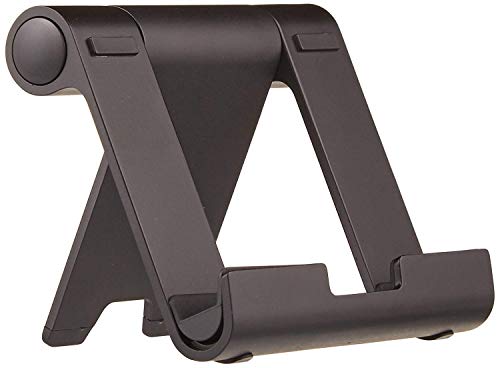
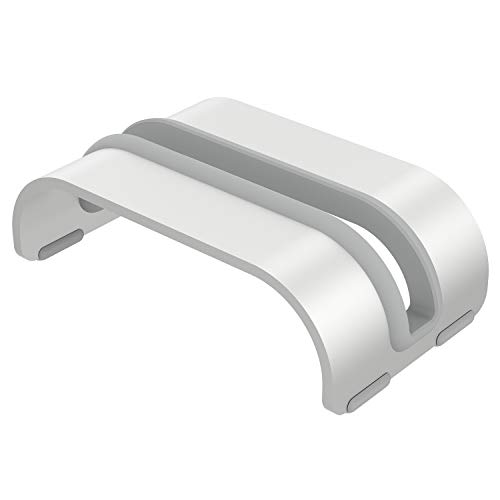
When people think of a vertical laptop stand, they probably picture something like the one below, but if you just want to prop it upright, a stand made for smartphones holds it up just fine. Not that it's cheaper just because it's for phones, either, and it's handy since I can use it for a tablet or smartphone when I'm not using the laptop. We actually have two more of the exact same stand at home.
Next, here are the fans:
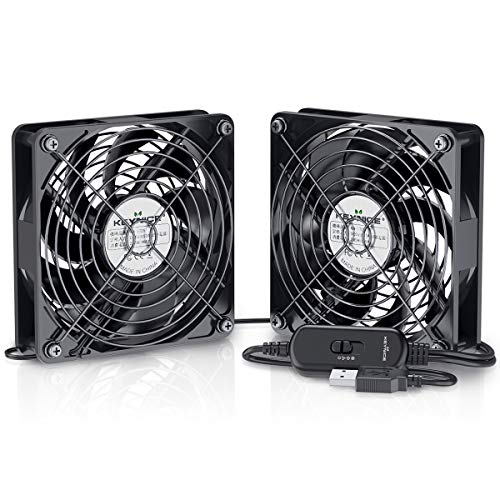
These are completely no-frills USB fans. I place one next to the upright MacBook Pro so it blows air right onto it. They stand upright on their own, so there's nothing complicated about setting them up. Two fans branch off from a single USB (power) cable, so I point the other one toward myself as a mini desk fan. The noise isn't particularly loud or quiet—just somewhere in the middle. At max speed you might notice it a bit, but the MacBook Pro's own internal fan at full tilt is way louder anyway, so it doesn't bother me at all. And since I started running the USB fan, the MacBook Pro's internal fan hasn't ramped up like that even once.
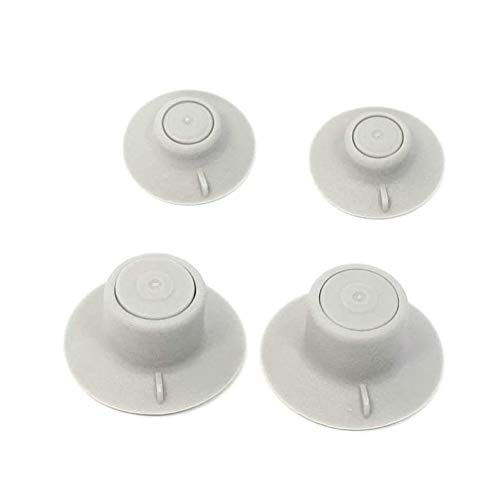
If you use your laptop's built-in screen, standing it vertically isn't really an option, but I think attaching little feet like these to the bottom of the laptop and blowing a fan across it from the side would still work plenty well.
I'd definitely recommend this if you use a super-hot laptop on a desk. A lot of people probably feel like buying one of those dedicated laptop cooling pads would be too bulky, so this is a nice alternative.
Short post, but that's my quick story about buying USB fans.