
Setting Up a Home Steam Link Environment
This article was automatically translated from Japanese by AI. Read the original Japanese version →
Table of Contents
While everyone seems to be talking about how Steam Remote Play Together now works just by clicking a URL, I went in the opposite direction and recently set up a Steam Link environment inside my home. In this post, I'll briefly explain what Steam Link is and share how setting it up at home went.
What Is Steam Link?
To quote Steam Link's official description:
Extend your Steam gaming experience to your phone, tablet, or TV over your local network. (...) Steam Link is a solution that lets you enjoy your Steam game library from any room over your home network.
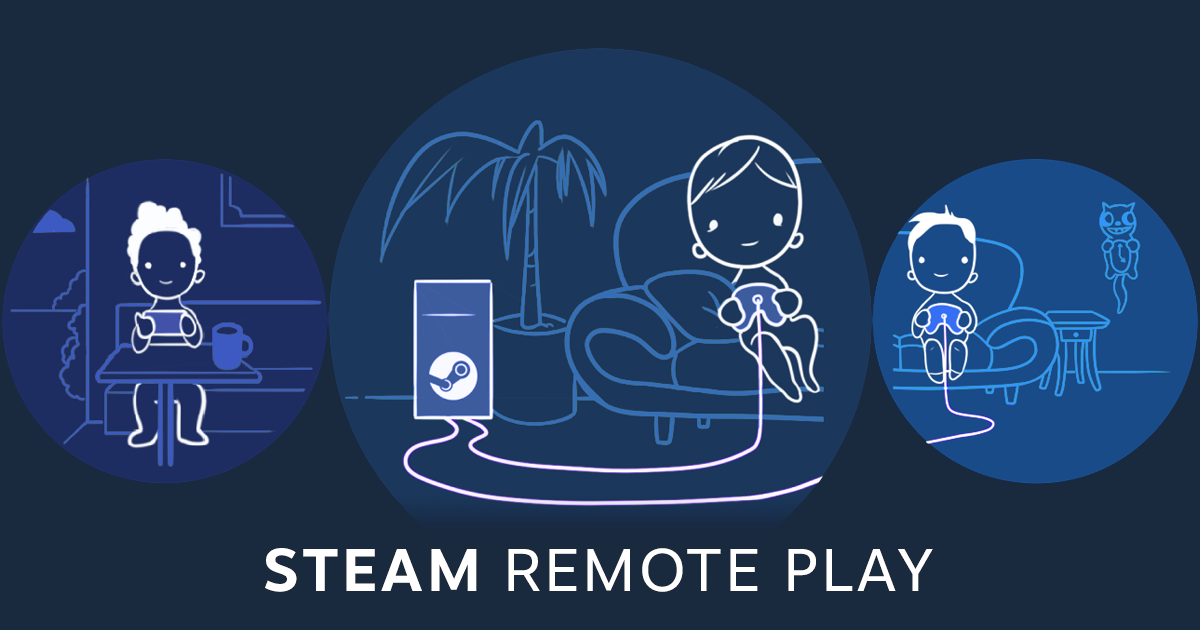
The basic setup goes like this: suppose you have a (gaming) PC somewhere in your house for playing Steam games. If you live with family, that PC is usually sitting by your desk hooked up to a monitor, not connected to, say, the big TV in the living room. That's where Steam Link comes in.
As long as you have any device that can run Steam or the Steam Link app—a smartphone, a laptop, whatever—and hook it up to the TV, you can immediately play your games on the TV. Of course, you don't even have to connect it to a TV; playing straight on your phone or laptop screen works fine too.
Honestly, once you download the app, everything is pretty self-explanatory, so I won't go into step-by-step usage.
How It Works
Understanding what's happening under the hood is more useful than just memorizing the setup steps.
First, the game itself runs on the host PC. The video you see on the client device (like your phone) is encoded by the host PC and streamed over the network. Input signals from your controller or keyboard are received by the client first and sent back over the network to the host PC.
As you can probably guess, that means the host PC isn't just running the game—it's also constantly encoding video on top of it. Anyone who's ever livestreamed on YouTube Live or similar platforms will find that pretty easy to picture.
You also need a fast, stable network. Depending on quality settings, it's continuously transferring around 10Mbps even at 720p 30fps, and roughly 40Mbps at 4K 60fps. This traffic stays entirely inside your home network, so your external internet speed doesn't matter.
Going purely by bandwidth numbers, Wi-Fi looks like it should be enough, though keeping that throughput rock-solid at all times can be tough depending on your environment.
My Home Setup
My host PC is a Windows desktop, and my client PC is a GPD WIN 2. Some people might wonder why I don't just run games directly on the GPD WIN 2, and well—you end up having to drop the graphics settings pretty low on it, which is why I decided to try Steam Link.
I tried Wi-Fi first, and sure enough, I kept running into occasional lag. Looking at Steam Link reviews, some people seem to get smooth gameplay over Wi-Fi, but it just didn't work out for me. So I ended up buying a 10-meter Ethernet cable and going through the effort of running a wired connection.
From a bit of testing, wired Ethernet feels solid enough to play even action games without any issues.
One Steam Link-specific quirk is that game compatibility varies quite a bit. Sometimes audio refuses to route through Steam Link properly, and games that boot through third-party launchers outside Steam often won't launch unless you manually interact with the host PC.
Thoughts on Steam Remote Play Together
From here on, just a few random thoughts.
Trying Steam Link really drove home how demanding streaming is on the network. Honestly, I can barely imagine Steam Remote Play Together running smoothly. With Steam Remote Play Together, the host PC and client devices are in completely different homes, essentially doing local multiplayer over the internet.
First of all, getting a steady 10–40Mbps upload speed out of the host PC's home connection is already a tall order, and the client side needs a fairly solid download connection too. Latency might not be terrible if both players are in Japan, though for fast-paced action games it still sounds pretty rough.
Thoughts on Cloud Gaming
Similarly, with cloud gaming, the host PC sits in the cloud while the client device is in your hands. Here again, your download connection has to stay fast and consistent, which makes me wonder how many setups and games can genuinely deliver a comfortable experience.
On top of that, providers have to spin up a massive number of gaming-PC-class servers in data centers, so server costs must be brutal.
I don't see network infrastructure problems magically disappearing within the next few years, so honestly, the big push from cloud gaming companies feels a bit premature to me.
Anyway, that went off on a bit of a tangent—that's the story of how I set up Steam Link at home.