
The First Things I Did After Buying a Steam Deck
This article was automatically translated from Japanese by AI. Read the original Japanese version →
Table of Contents
It's been a full year since the Steam Deck launched in Japan. I'd been going back and forth on whether to buy one the whole time, and with the release of the OLED model, I finally gave in and bought it.
Steam Deck Has Arrived!steamdeck.komodo.jp
It arrived on Thursday, November 23, and I spent Labor Thanksgiving Day and the whole weekend tinkering with it. Now that I've mostly gotten the hang of it, I want to share my initial setup steps and the various things I tried out.
Learn the Shortcuts
Steam Deck Steam Button Shortcuts Listholdtoreset.com
First off, learn the button shortcuts. There's a rich set of combinations using the Steam button, letting you do pretty much everything without plugging in a keyboard or mouse. This also comes in super handy later when installing things like the Epic Games Store, so take a look at the shortcut list early on to see what's possible.
Install the Epic Games Launcher
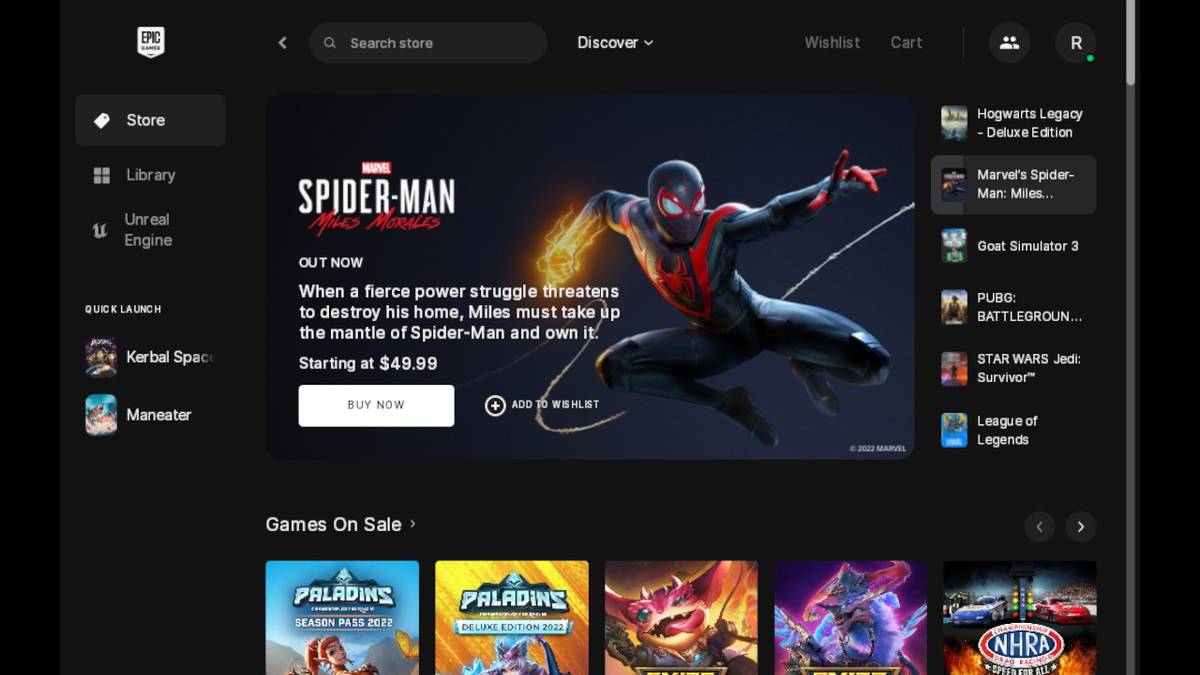
If you're a PC gamer, chances are you've amassed a huge library of freebies from the Epic Games Store, so it's only natural to want to play them on your Steam Deck too.
When you search online for how to play non-Steam games like those from the Epic Games Store, a lot of guides recommend installing third-party launchers like Heroic or Lutris. Personally, though, installing the official Epic Games Launcher works without any hassle, so I just set it up following the Polygon guide above.
I did skip the controller configuration steps mentioned in that article—as long as you know the mouse-emulation shortcuts, you don't really need it.
You can probably get Amazon Games and GOG.com games running in much the same way.
Install the Steam Link App
Even in the Steam Deck's default Gaming Mode, you can do Remote Play if you have a PC powered on on the same local network, but the settings and controls are a bit clunky, so I installed the Linux version of the Steam Link app instead.
It's right there in the standard app store in Desktop Mode, so it's easy to find, and once you add it as a non-Steam game to your library, you can launch it straight from Gaming Mode.
It makes adjusting stream quality and the performance overlay super straightforward, and it's also easy to bring up the remote PC's desktop—which is super convenient when you want to stream Epic Games Store games from your desktop PC.
Try Installing Mods
In Desktop Mode, the Steam Deck lets you poke around files just like a regular PC, which means you can install mods too.
Specifically, I tried installing the unofficial Japanese translation mod for Pizza Tower.

I ran into a bit more trouble than expected—like needing to make sure every Windows .exe file was launched through Proton—but once I understood how it worked, it was pretty simple.
Summary
So those were the first things I did after picking up my Steam Deck. Being able to play games is great, of course, but having so much room to tinker and customize makes it a really satisfying device. And yes, I've been playing plenty of actual games on it too.